The week, as blocks
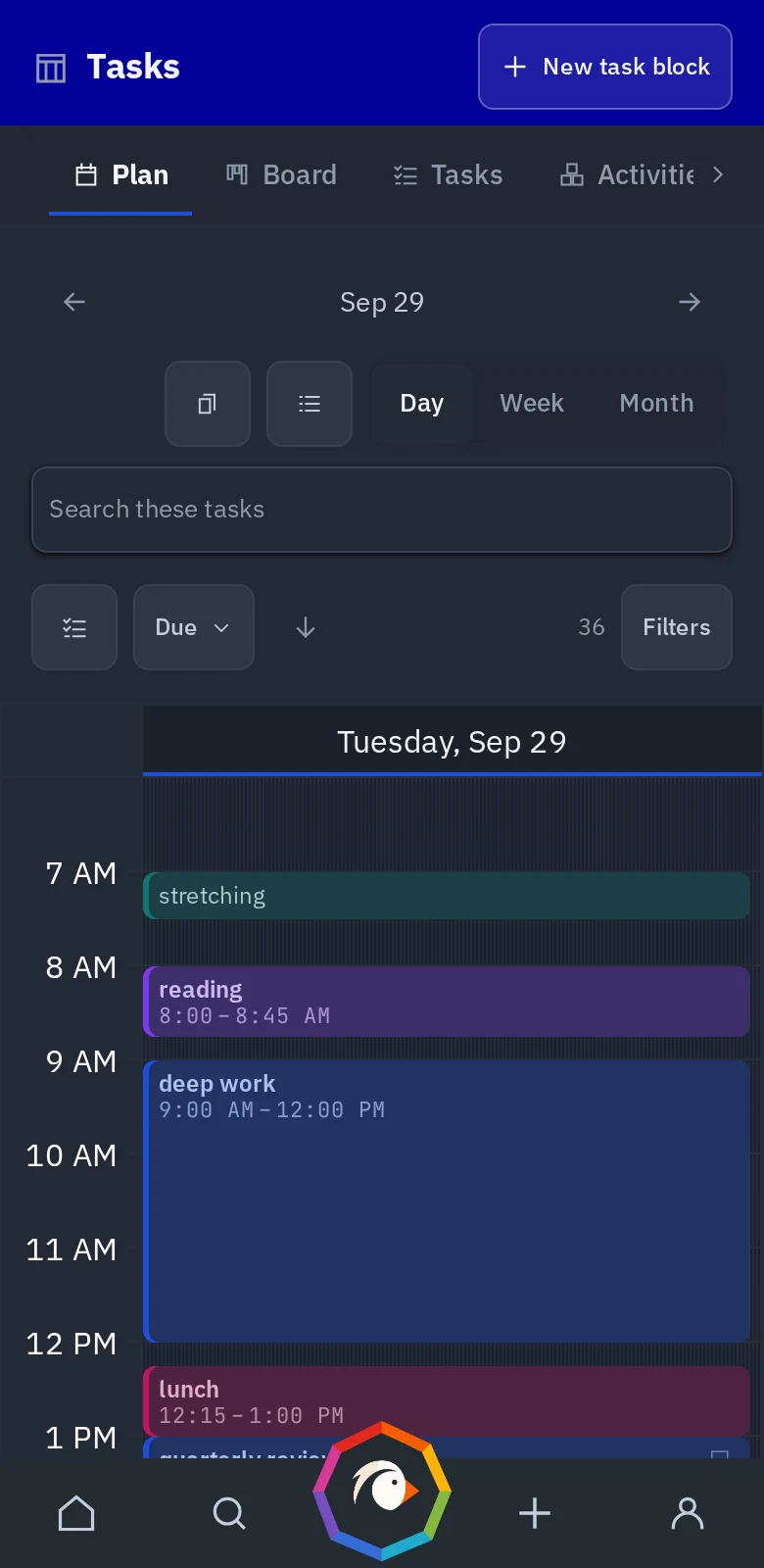
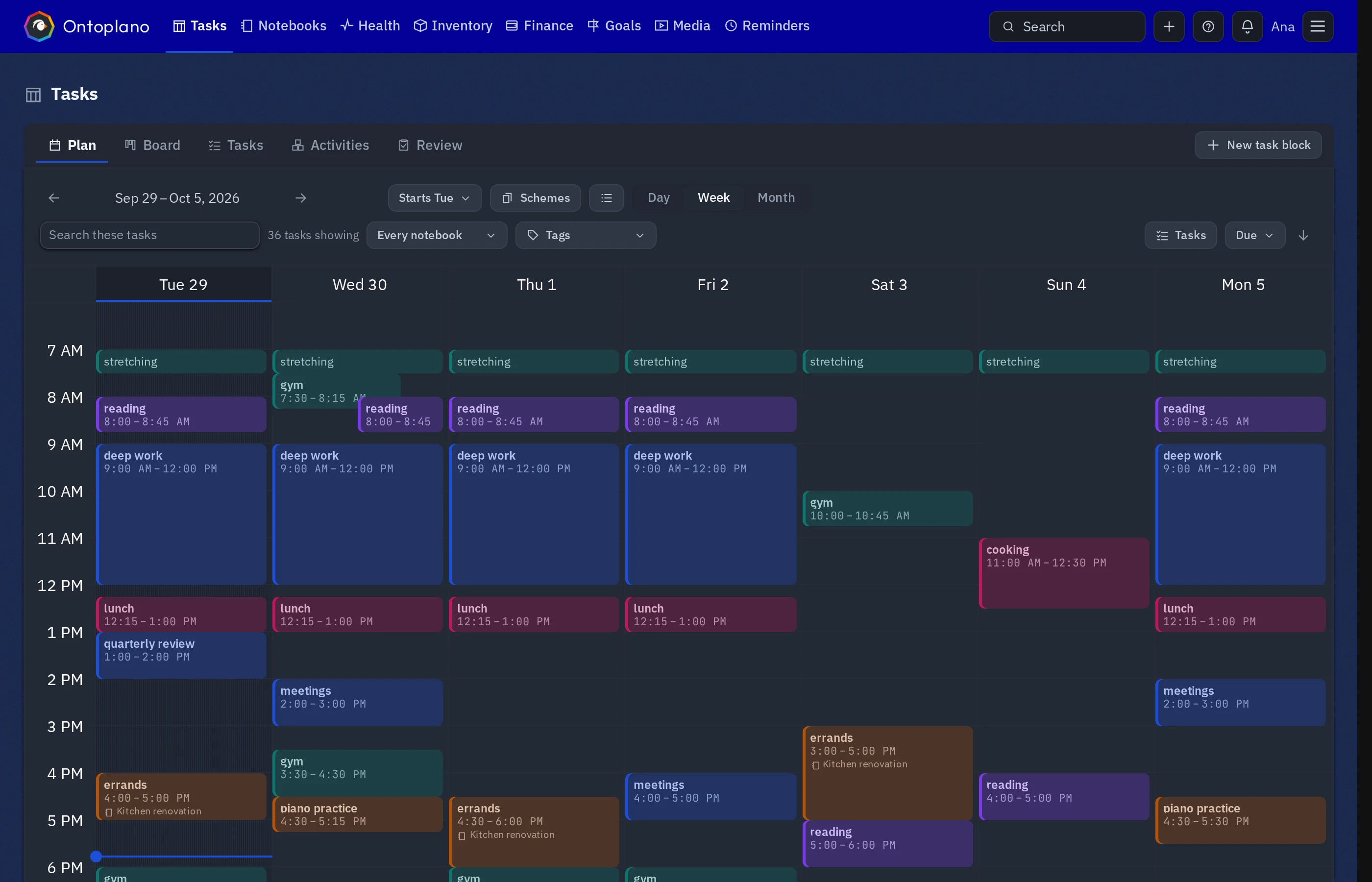
Draw the shape of a normal week once. Every week after starts from it, and what you did is recorded next to what you meant to.
 Ontoplano
Ontology is the philosophical study of being. It is traditionally understood as the subdiscipline of metaphysics focused on the most general features of reality. As one of the most fundamental concepts, being encompasses all of reality and every entity within it. To articulate the basic structure of being, ontology examines the shared characteristics among all things and investigates their classification into basic types, such as the categories of particulars and universals.
— Wikipedia
Ontoplano
CHECK OUT THE DEMO
·
Where will you use it?
And who keeps the server up?
Only on the phone, or the same account everywhere?
Kept up for you
/plugin marketplace add ontoplano/claude-plugin/plugin install ontoplano@ontoplano
It asks for your address and a key, once.
Codex and anything else that speaks MCP connect with the same key —
see the docs.
Your machine, your data, your uptime
The phone is the instance
Then something has to hold the account
/plugin marketplace add ontoplano/claude-plugin/plugin install ontoplano@ontoplano
It asks for your address and a key, once.
Codex and anything else that speaks MCP connect with the same key —
see the docs.
See the docs
Check the code
Claude Code
/plugin marketplace add ontoplano/claude-plugin/plugin install ontoplano@ontoplano
It asks for your address and a key, once.
Codex and anything else that speaks MCP connect with the same key —
see the docs.
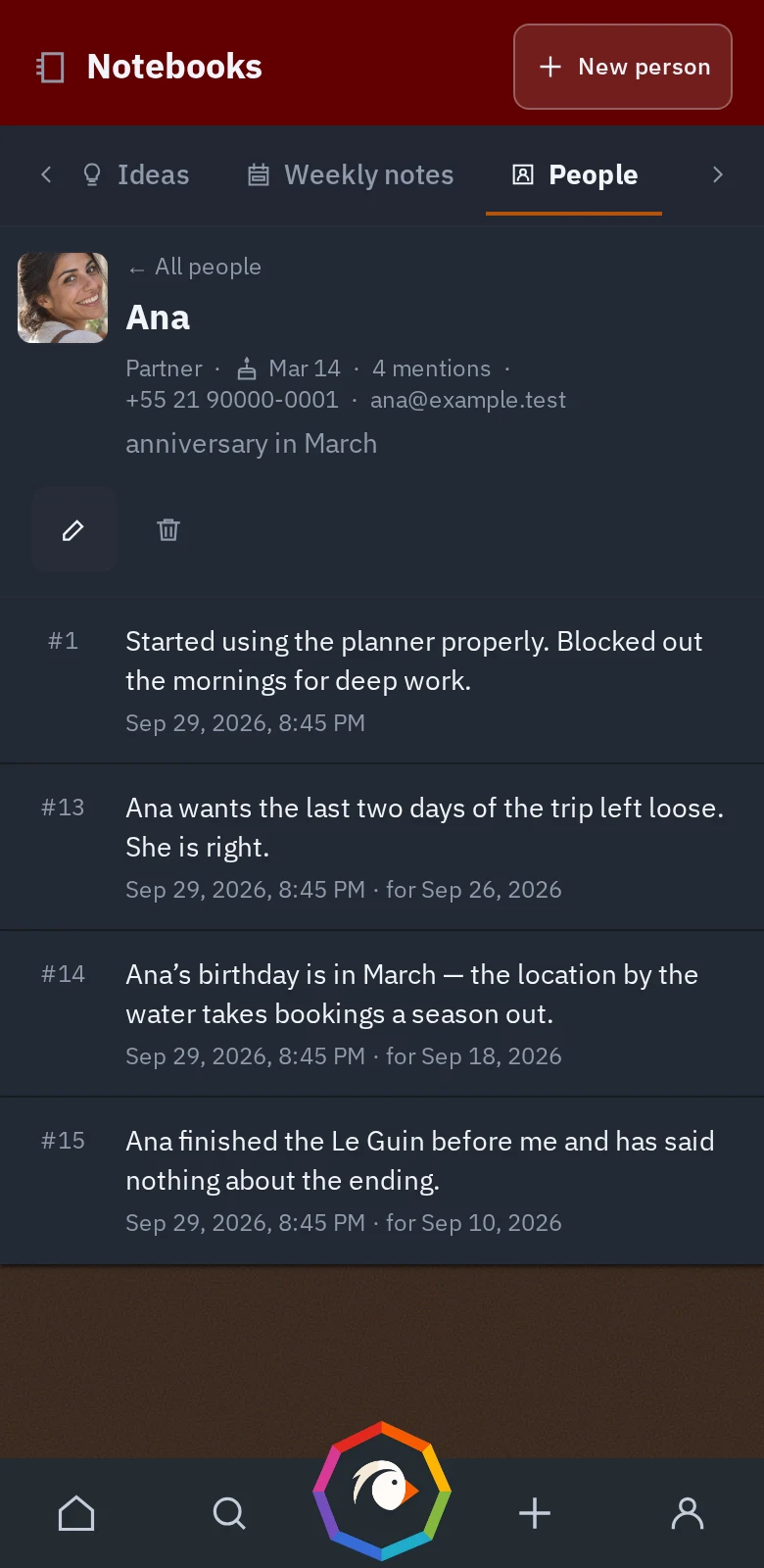
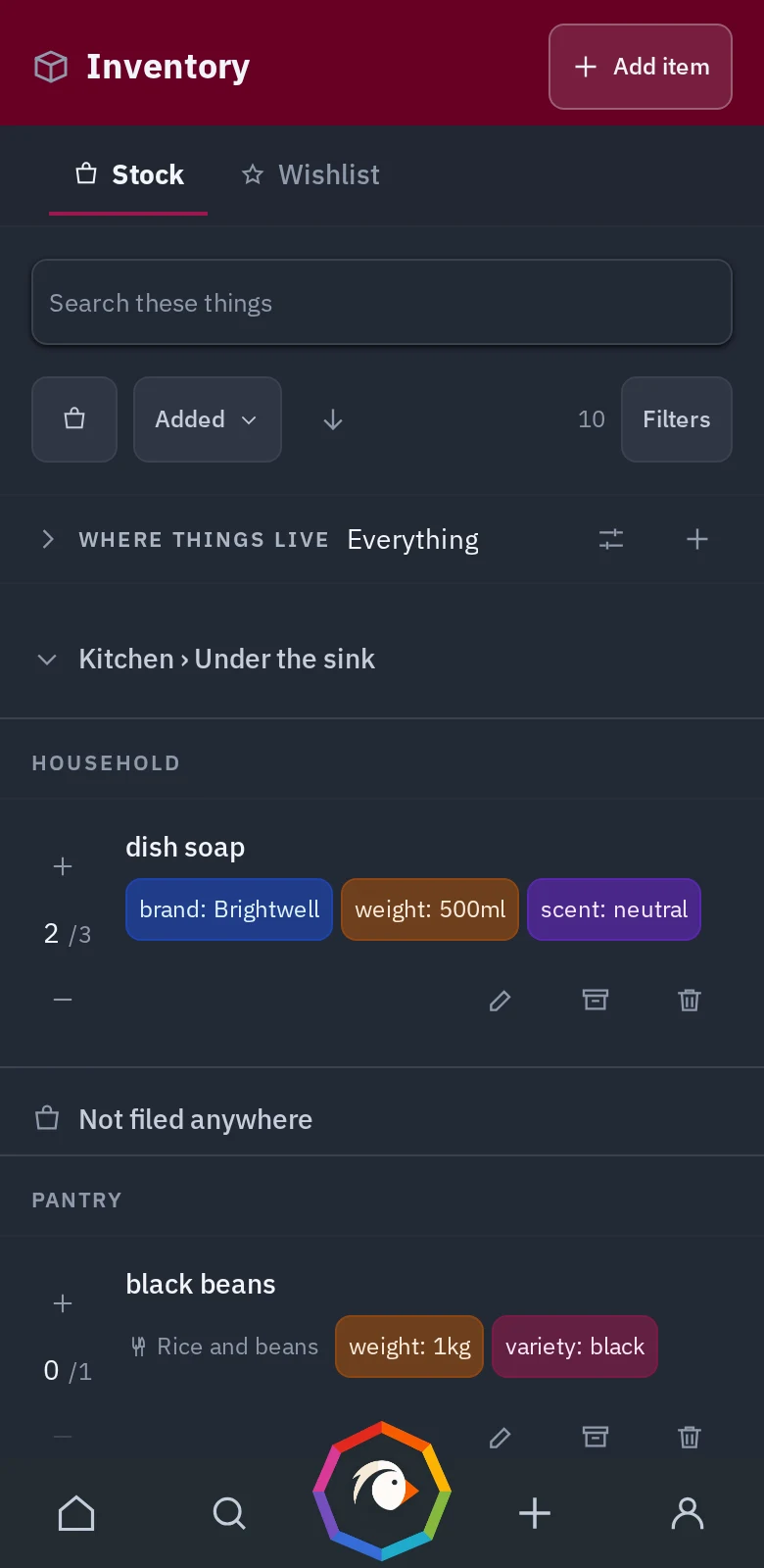
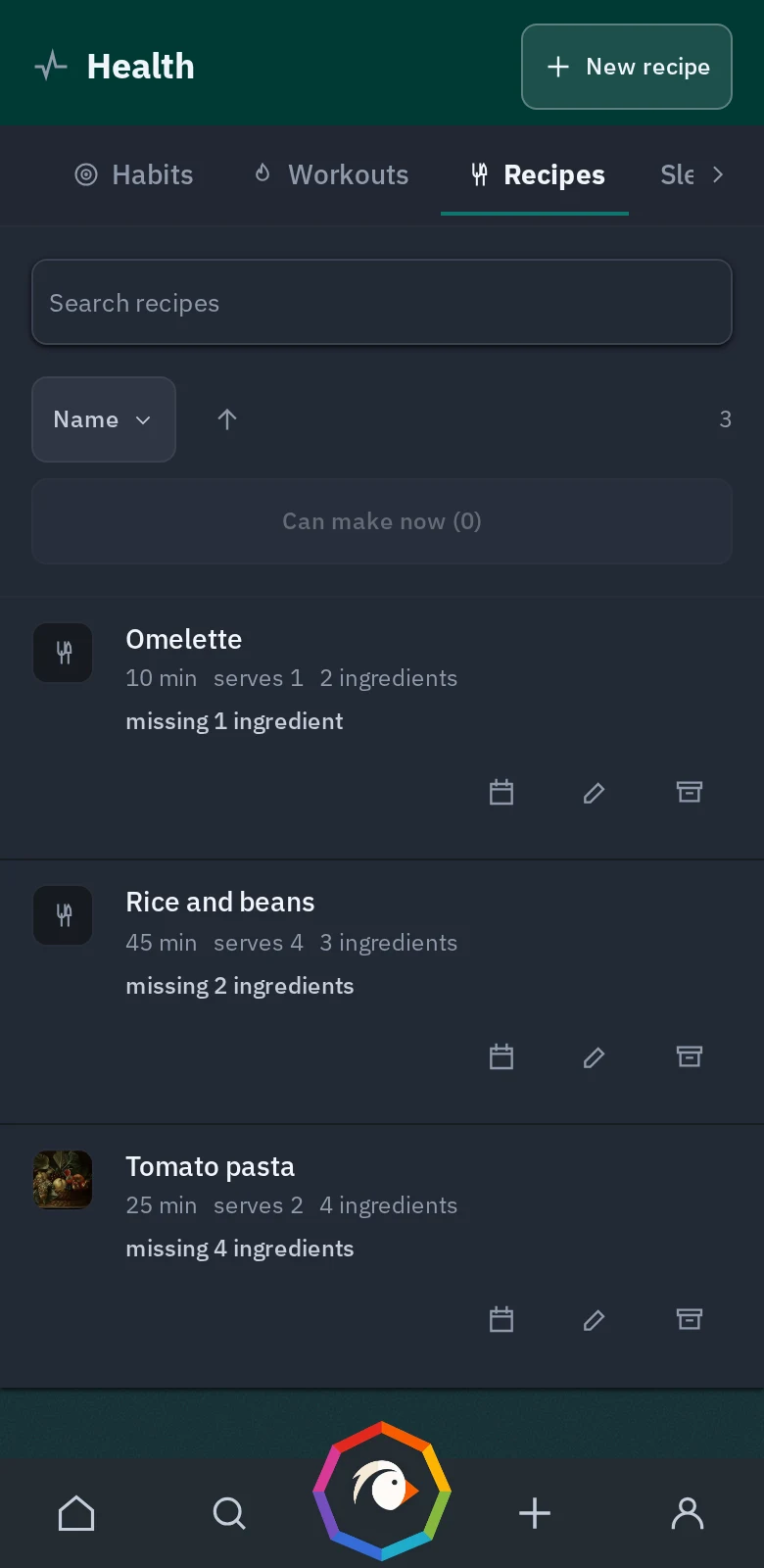
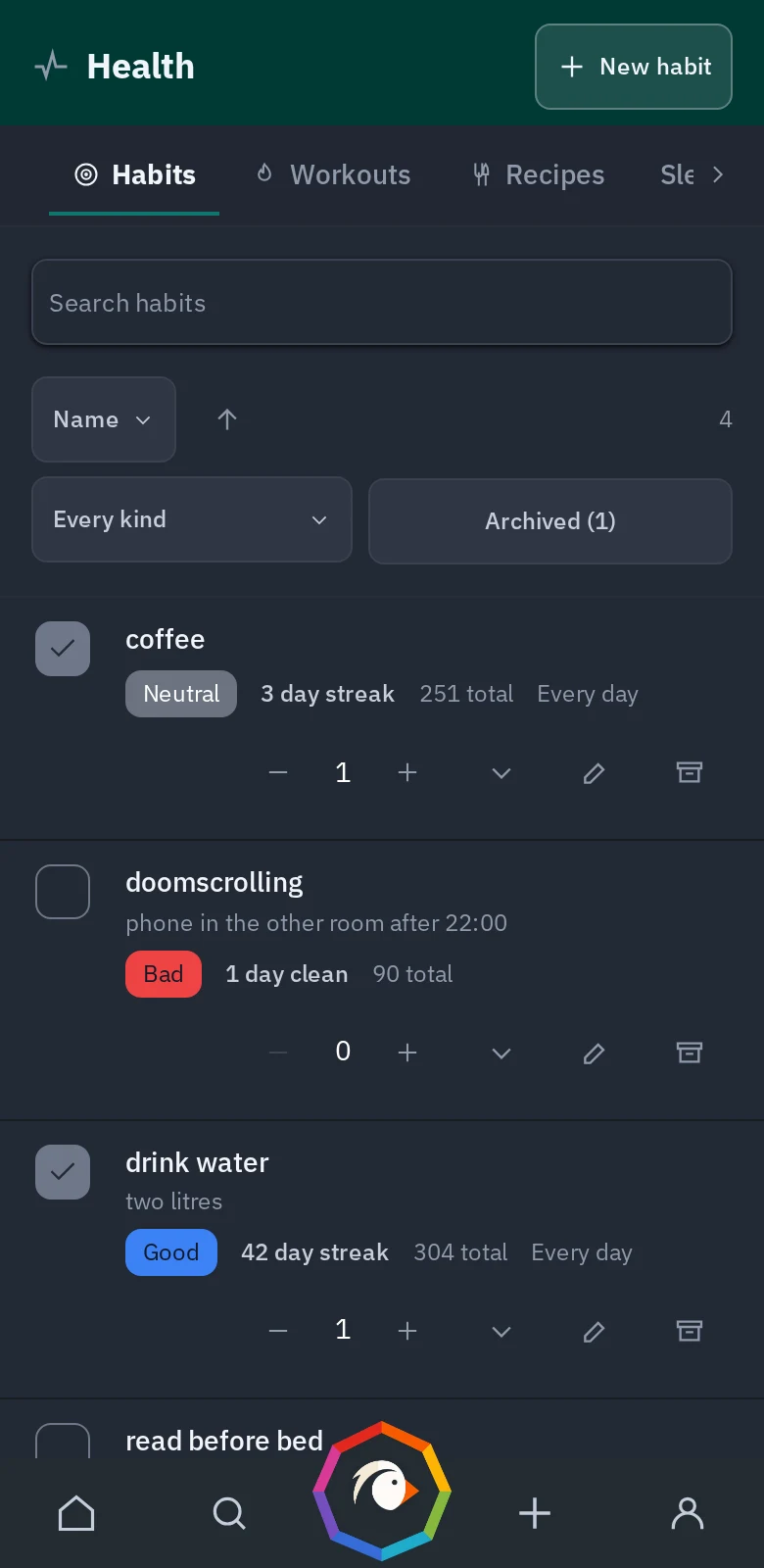
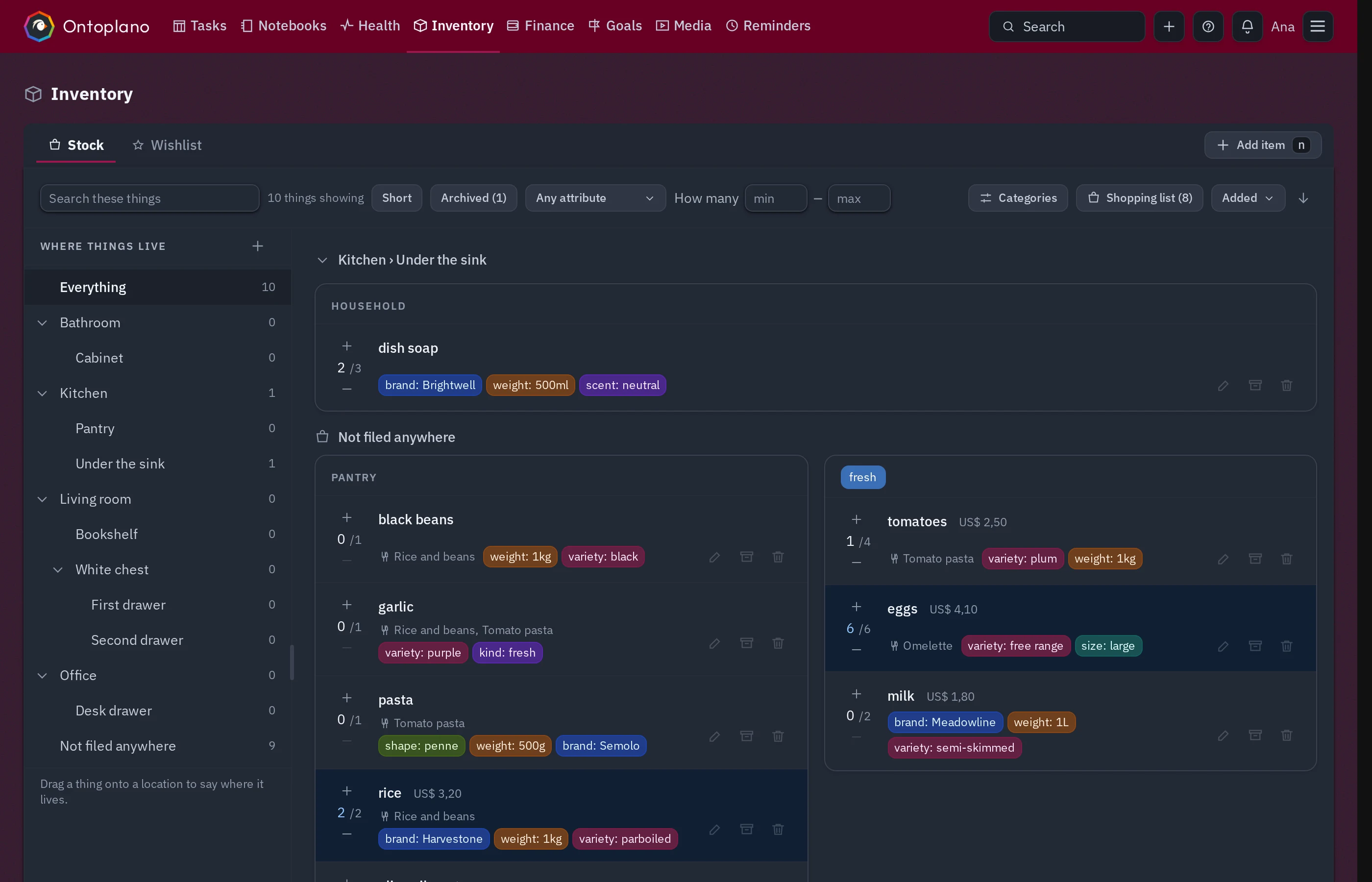
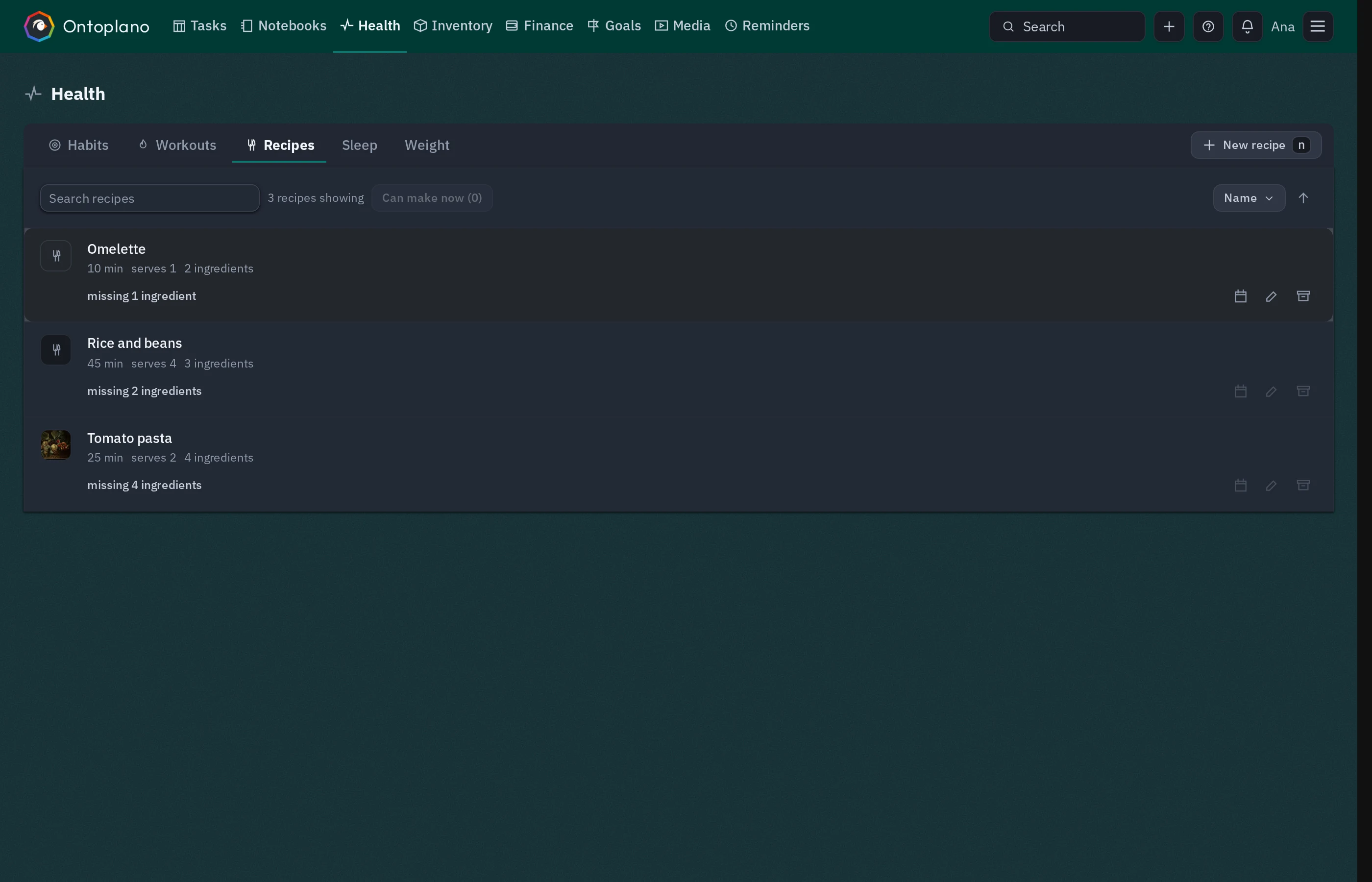
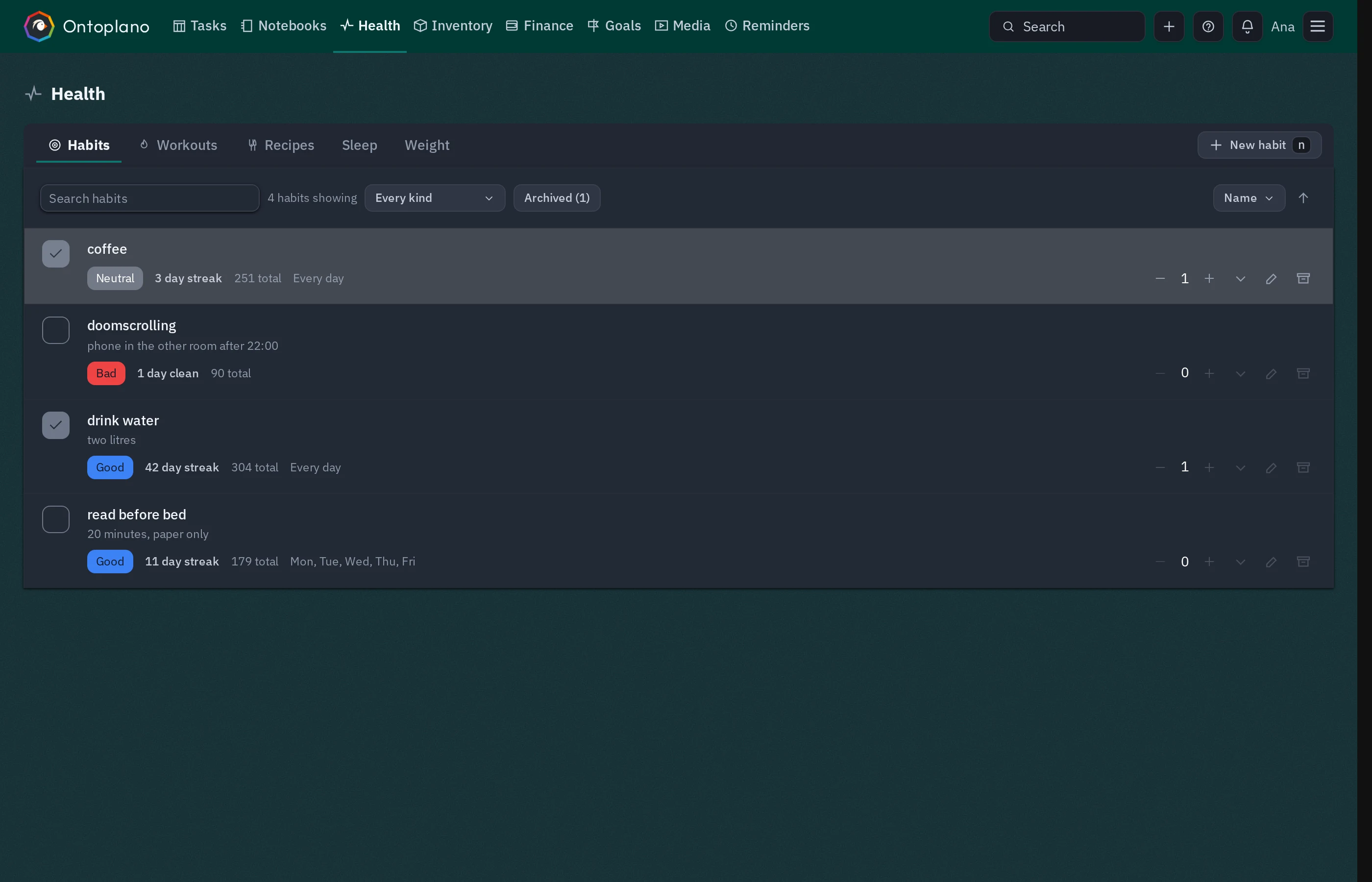
Synced between your devices · Host it yourself or use the official instance to have it synced
Amazing work, and wonderful timing as well as I’ve been looking to find something exactly like Ontoplano. A privacy-focused, open-source, self-hostable note-taking and task-management application with calendar and other integrations. I resurrected an old Pi 3B to run this on — it’s perfect.
A to-do app. A calendar. A habit tracker. Notes. A journal. A shopping list. A recipe box somewhere. Contacts you keep meaning to tidy. A spreadsheet for whatever was left over. None of them know about each other, so the joining up is done by you, in your head, on a Sunday.
Ontoplano is one app for all of it, on one week. Put a recipe on Thursday and the shopping list knows. Give an hour to a goal and the goal knows. Write something down anywhere and one search box finds it again.
Use the parts you want. Every section can be switched off, reordered and recoloured, so a person who only wants the week and a todo list gets exactly that — and the rest is there on the day it turns out they do.
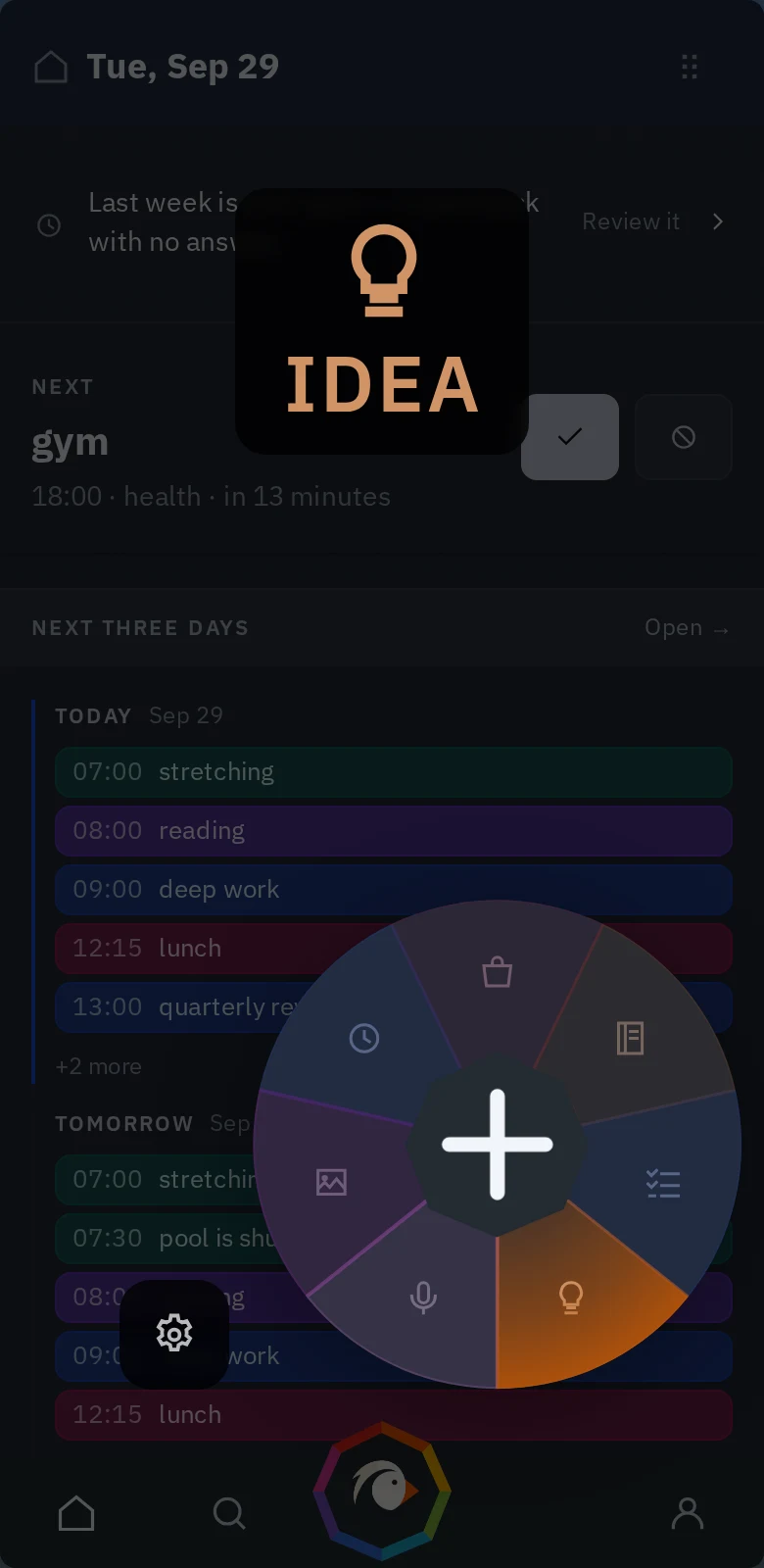
Be it an idea, something to buy, a note of any kind or something to do — you are one finger away from saving it. Hold the button, the wheel opens under your thumb, slide onto the room it belongs in and let go.
On a keyboard it is two keystrokes from any page. Nothing here is a separate app with its own inbox to empty: whatever you put in lands on the same week, and by Sunday it can show you the one you had beside the one you meant to have.
Point to your agent, through MCP, at your instance with a token you make, and ask it in words. What am I meant to be doing today. Put "ring the dentist" on my list. Write this up in the trip notebook. Add that recipe I just read out.
You decide what it may touch, one grant at a time: read the diary or not, add todos or not, see the shopping list or not. The token is yours, it can be revoked in one click.
Claude Code
/plugin marketplace add ontoplano/claude-plugin/plugin install ontoplano@ontoplano
It asks for your address and a key, once.
Codex and anything else that speaks MCP connect with the same key —
see the docs.
No ads, no feed, nothing engineered to hold your attention. Ontoplano has nothing to sell you once you are inside it — it is open source, and an app you can read has nowhere to hide a trick. You open it, put the thing down, and get on with your day.
Write down whatever deserves writing down — a plan, a note, a person, a recipe — and delegate the busywork to an AI assistant if you keep one: it can file, fetch and tick things off for you, with exactly the permissions you gave it and not one more.
Draw the shape of a normal week once. Every week after starts from it, and what you did is recorded next to what you meant to.
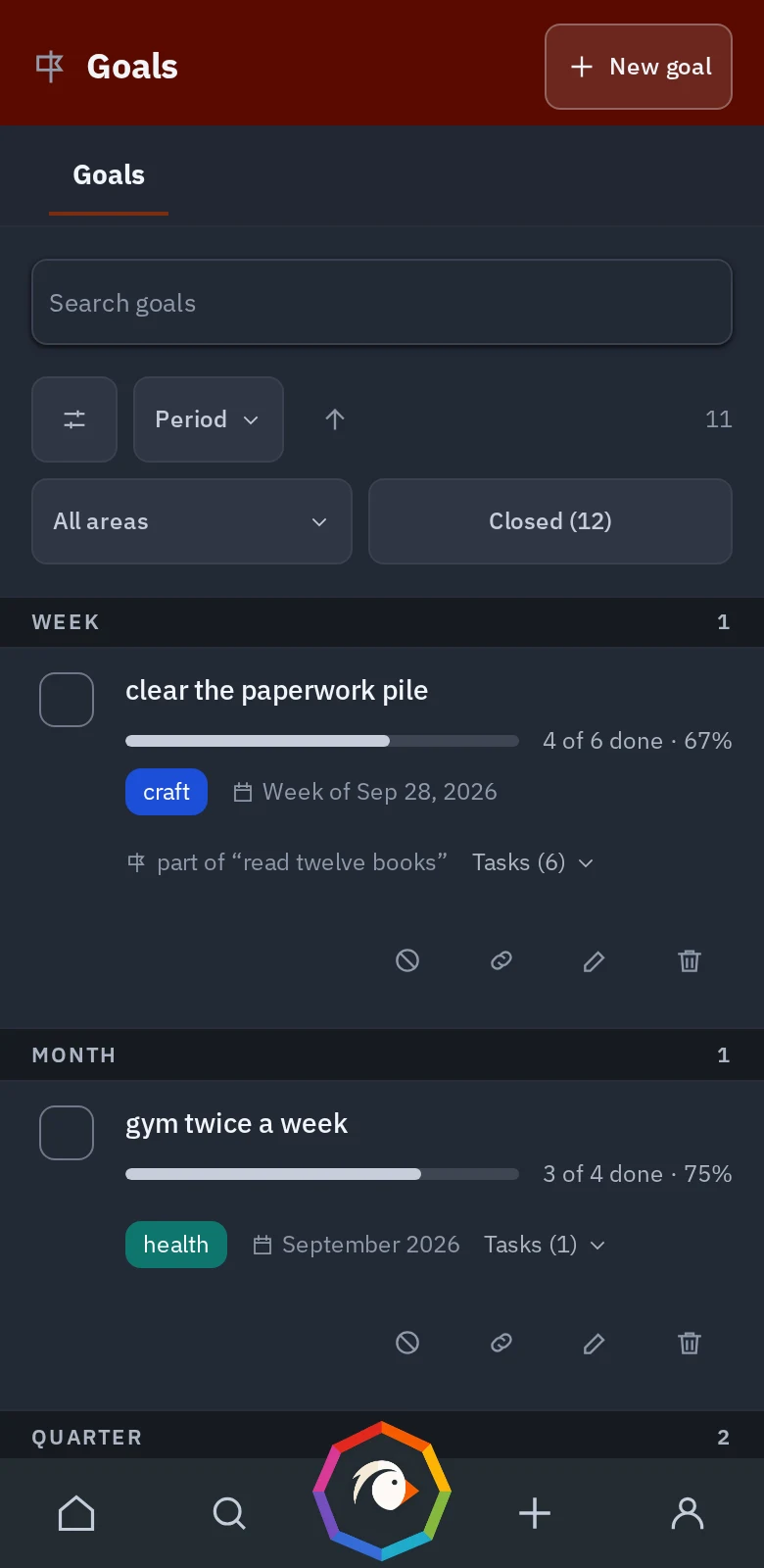
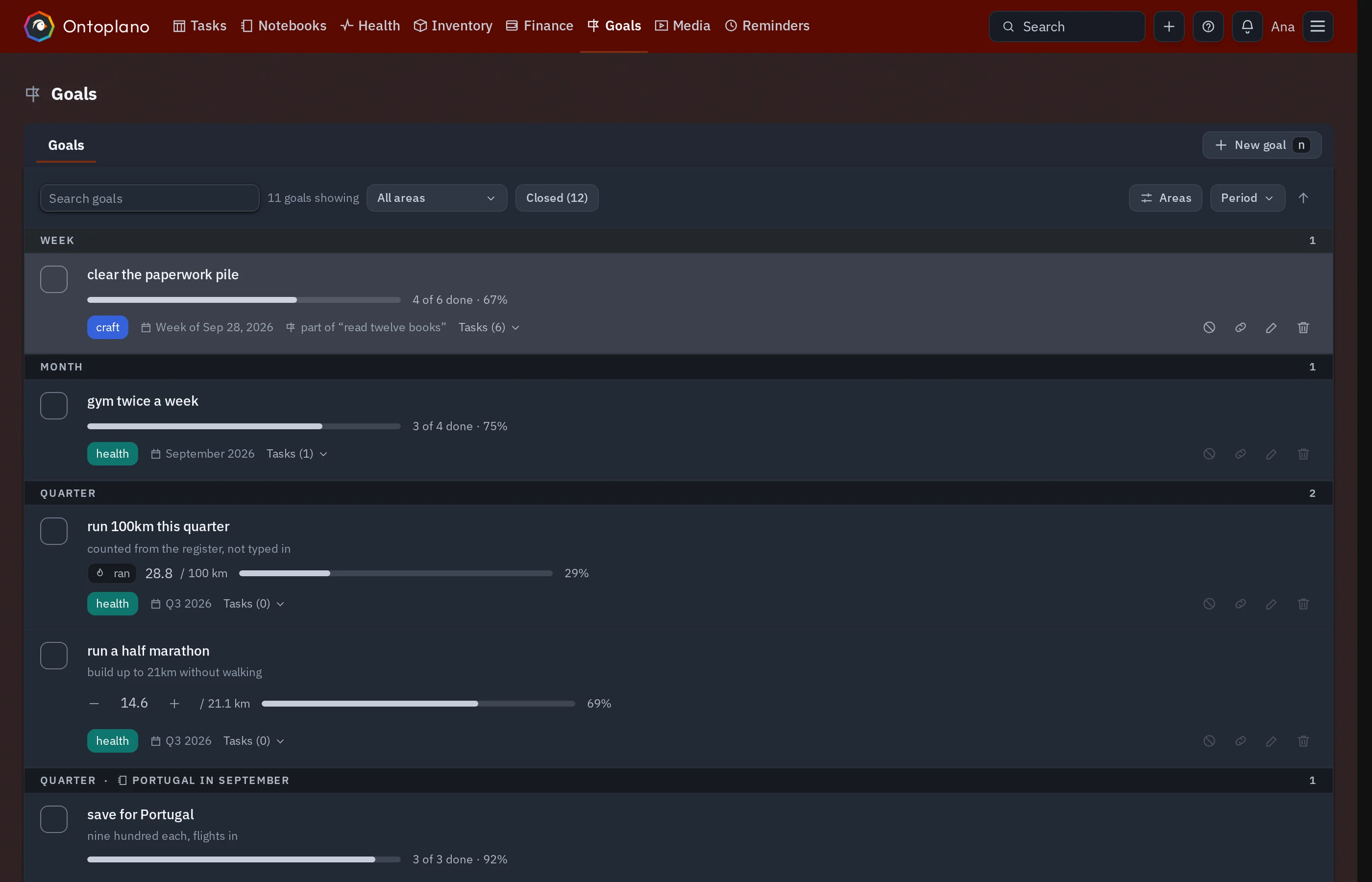
Twelve books, 21.1 kilometres — a goal is measured in real numbers and ticks up as you go. Blocks belong to goals, so the goal knows which hours moved it — and which weeks nothing did.
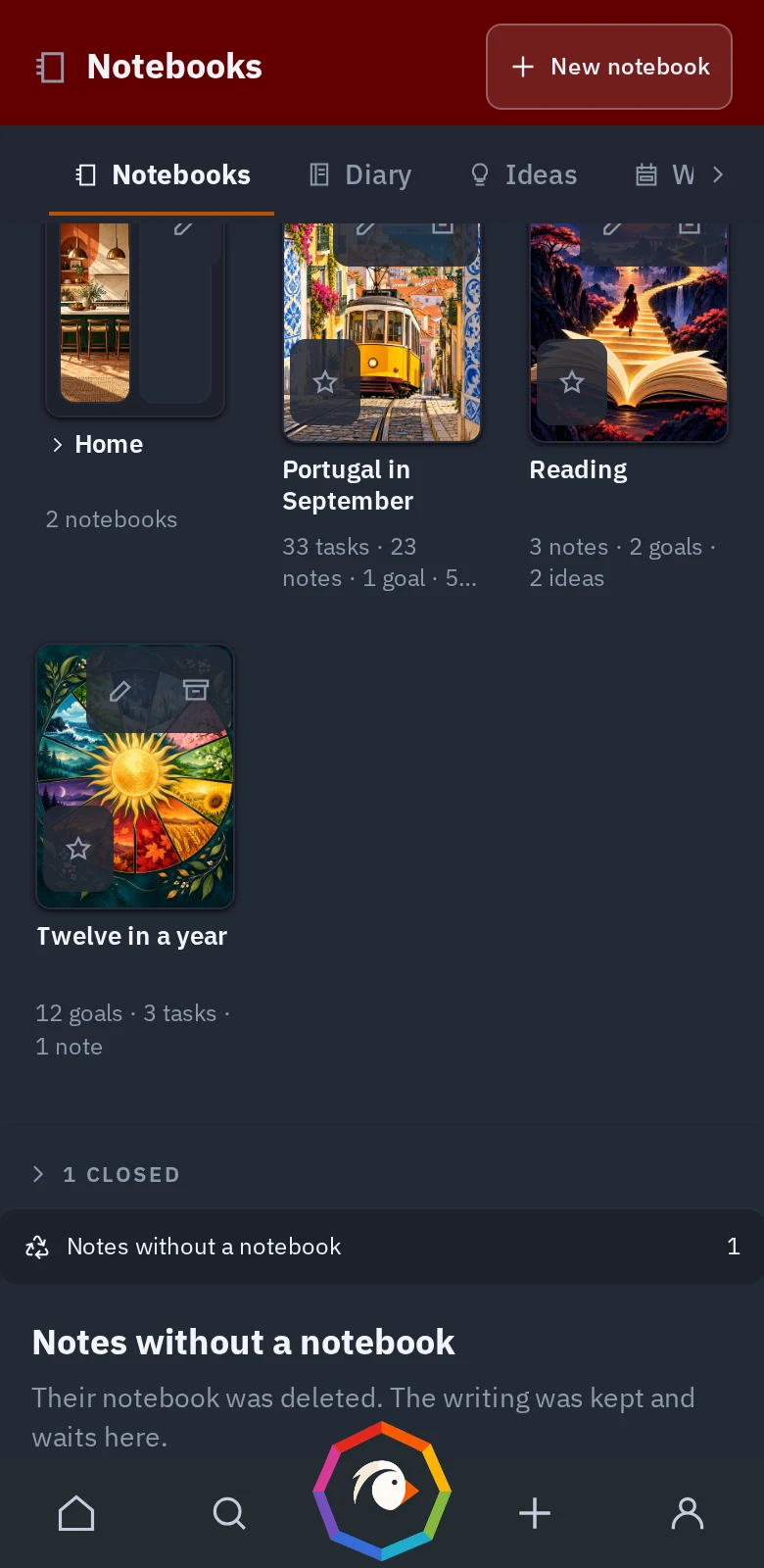
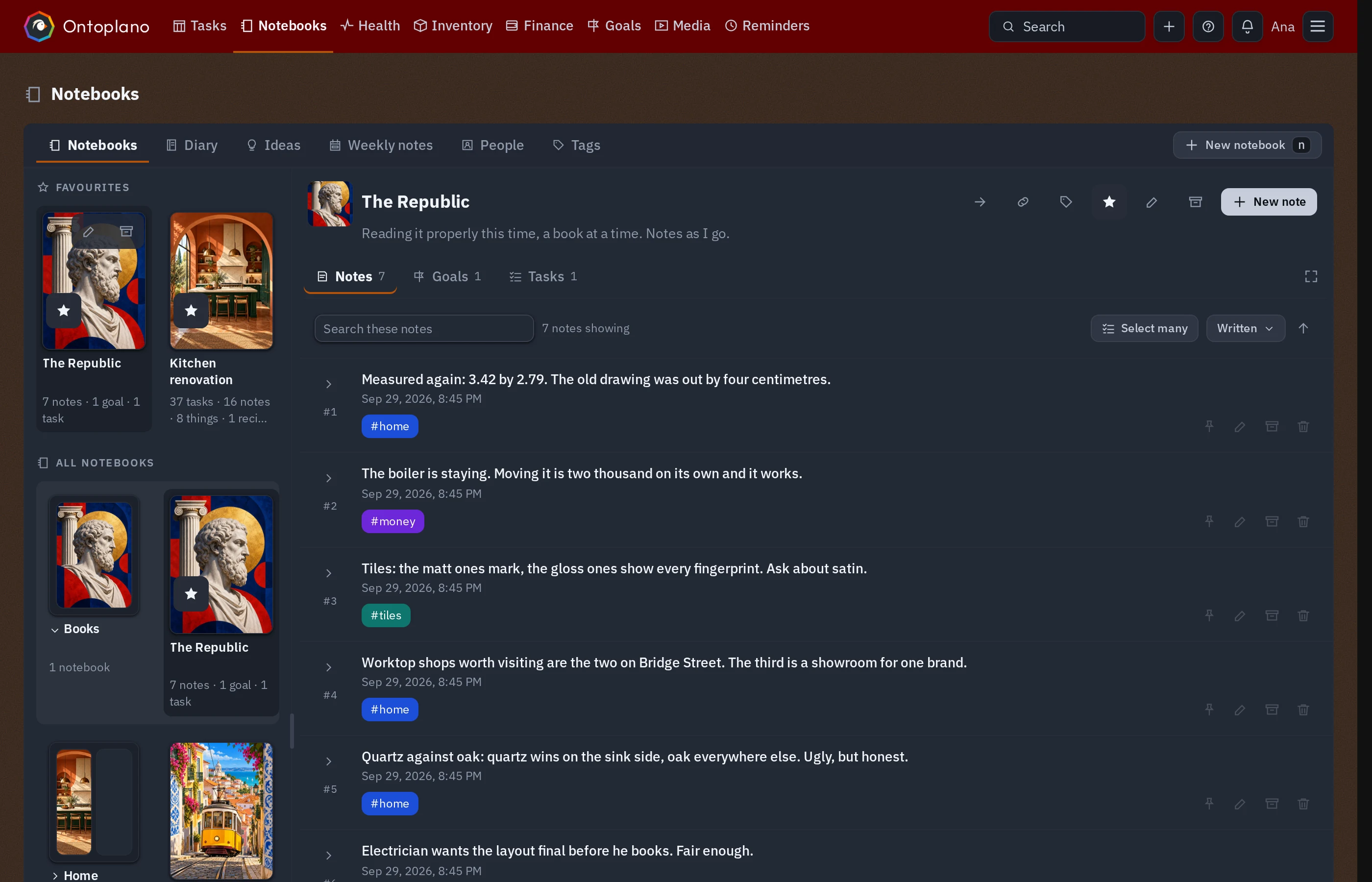
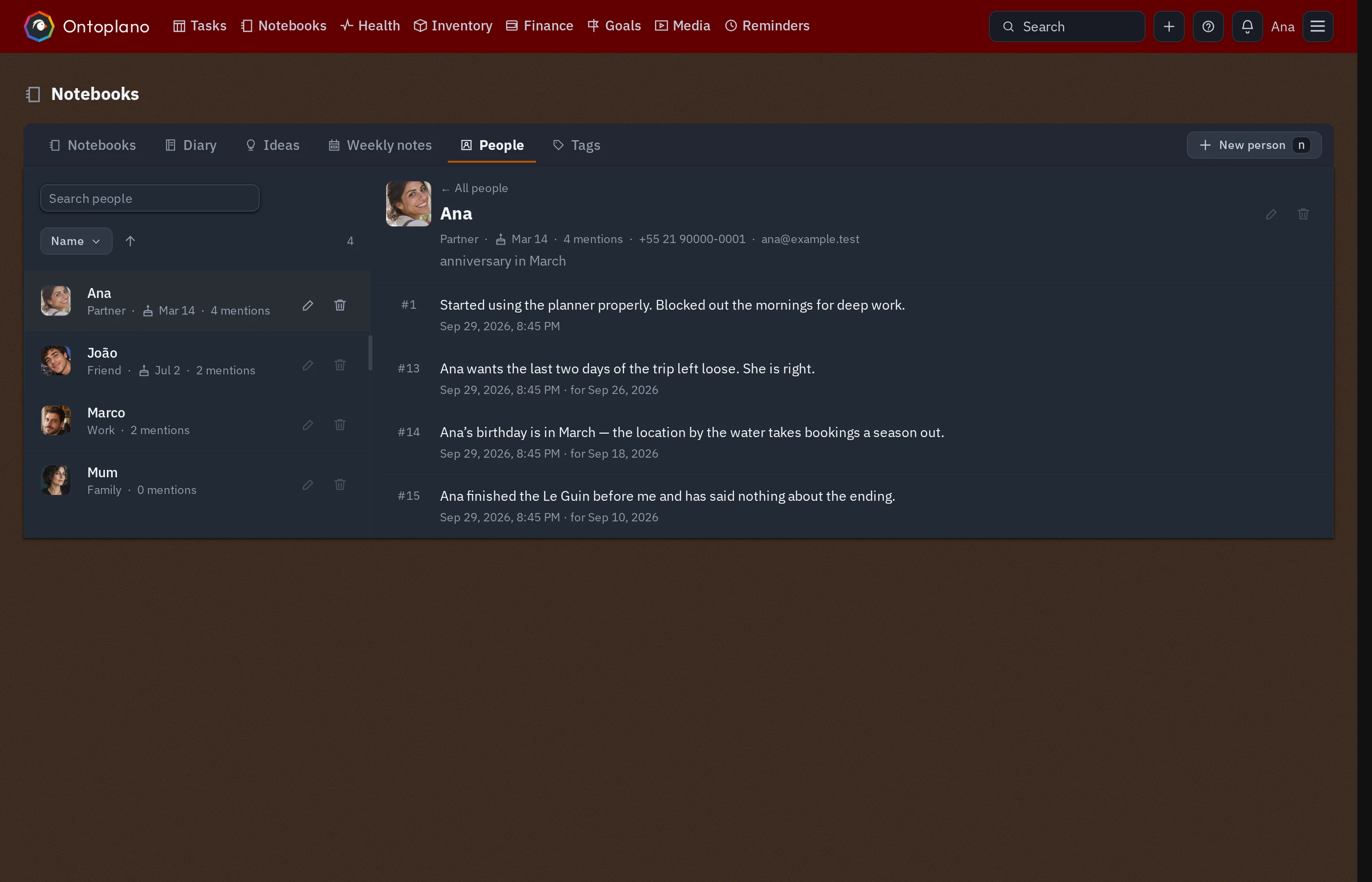
Diary, notebooks, people, ideas — paste a picture straight in. One search box over all of it, so you never have to remember where you put a thing.
Streaks for the daily things, a year of them at a glance. Workouts keep a register of what you actually did — ran 5 km, benched 80 — in your own units. And anything with a number — weight, sleep, whatever your gadgets measure — arrives from the apps you already trust.
Put a recipe on a day and its ingredients land on the list — only what you have run out of. Photograph the ones worth photographing.
The week you planned, against the week you had. What did not happen, and whether it still matters — carried forward or let go. One mail on Monday, if you want it.
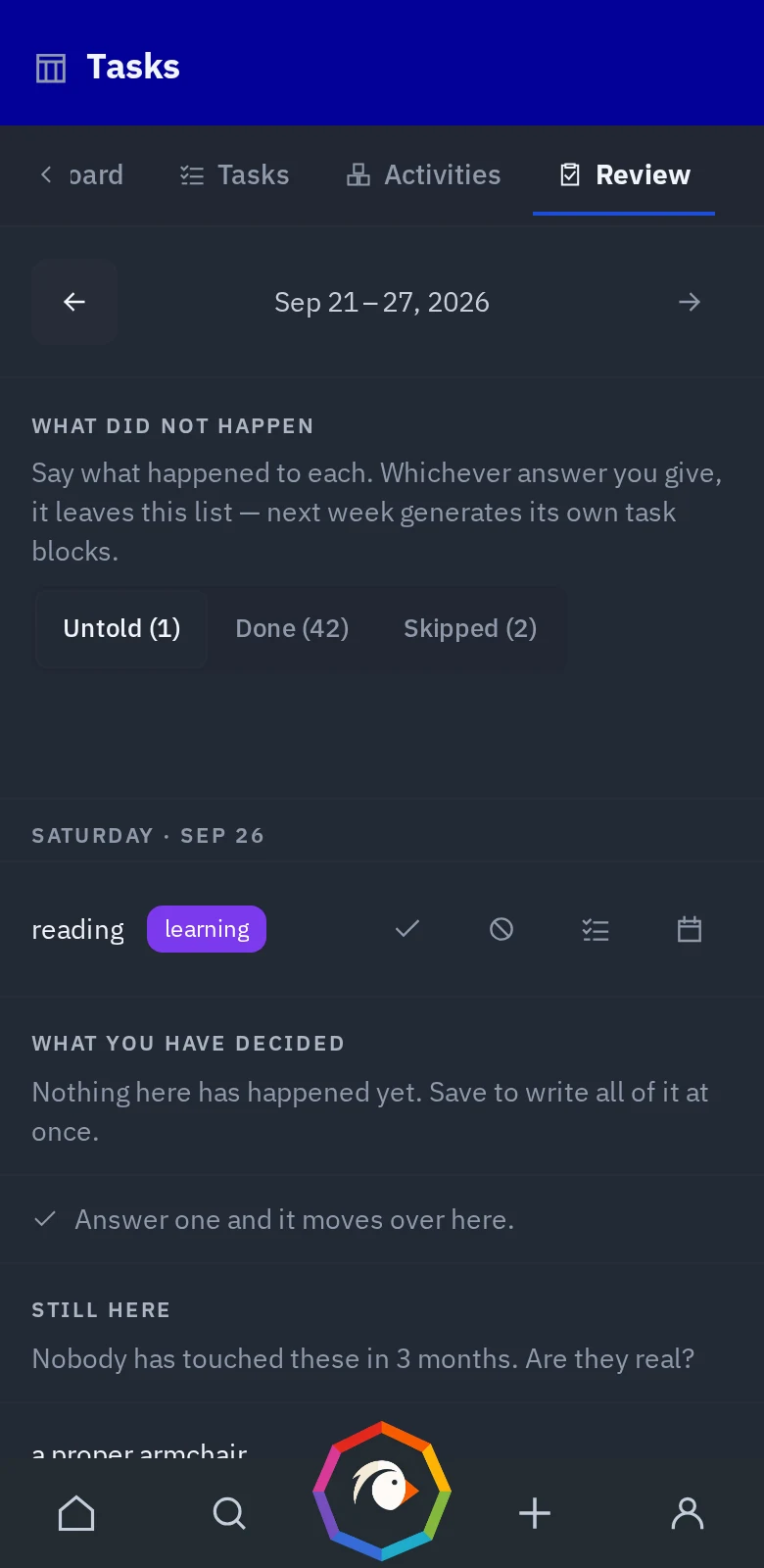
The Android app comes with an isolated version of Ontoplano that doesn't connect to the internet. It is also fully capable of interacting with a hosted instance, be it the official one at app.ontoplano.com or one you run yourself.
Connected, it works away from a signal too: tick the shopping list in the aisle and it goes up when the phone finds a network again. Reminders arrive with the app closed.
It is on Google Play. F-Droid and the App Store are on the way; until then, see the other ways to get the app.
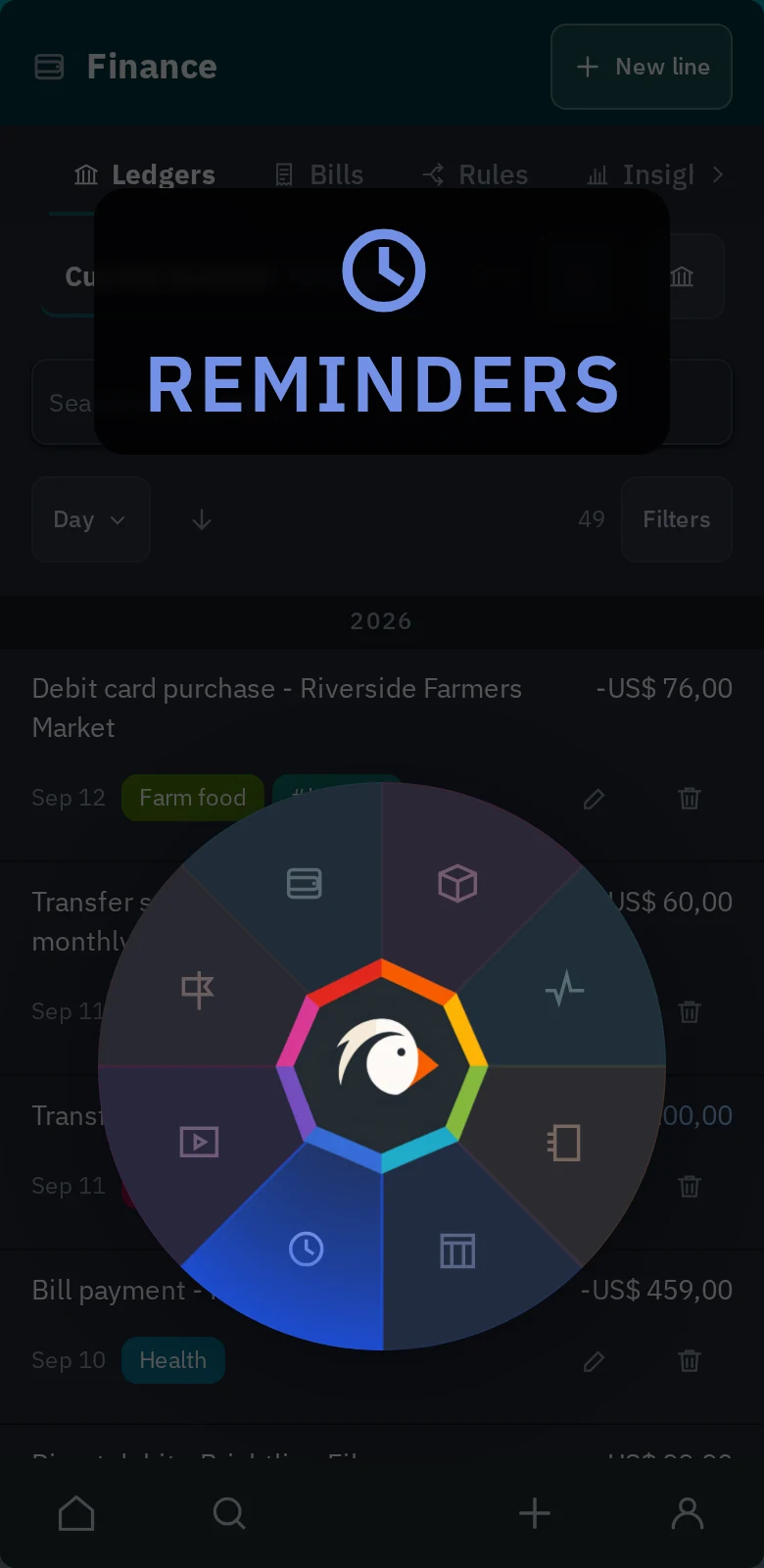
Shortcuts based on vim, so if your fingers already know h j k l they know how to move around the board and the week. ⌘K jumps to any section or searches everything you have written. And ? shows every shortcut that works on the page you are looking at, so there is nothing to memorise up front.
If none of that is for you, ignore it — everything has a button as well.
A life management tool that started as a weekly planner. It's meant to be as practical as possible so you can get more work done without wasting time trying to make sense of spread-out data to organize your life. Keep track of what's important to you: diary notes, ideas, recipes, people, habits, goals, or extend it with plugins if you want.
No — it is modular, and it stays out of your way. Every section can be hidden, reordered and given its own colour, so you can run it as a weekly planner and a todo list and never see the rest. Most people start with the week and grow into the diary, the habits and the kitchen when a reason turns up.
They each do one part of it well and none of them do the rest, so you end up running four and joining them up yourself. Ontoplano is the whole of it in one place — the week, the todos, the notes, the diary, the habits, the people, the meals and the shopping that follows from them — and because it is one app, the parts know about each other. The other half is that we respect your privacy, and it is built so that you do not have to take our word for it: the app is open source, it runs on your own machine if you want, your data is one file you can take away at any moment, and nothing about you is sold, tracked, profiled or handed to anybody. There are no third-party trackers and no advertising business behind this. Notion is a database you rent; this is a life you own.
Yes — AGPLv3, the whole app, no features held back for a paid tier. Run it on your own machine and it costs nothing, for good. What costs money is the official instance, which is the part nobody enjoys: a server kept up, backed up and patched.
No. There is no app to buy and nothing to unlock. Either you sign in to the official instance, or you run the same software yourself; the Android app is the same app and is free either way. Three questions and the steps for your phone.
Only if you want to. There is an instance at app.ontoplano.com for people who would rather not keep a server alive, check the plans below. You can move either way afterwards: if your plan ends, you are free to export all your data in one click.
You do not. The phone can run the whole thing on its own, offline, with every feature — except the ones that are a server by definition: letting an AI assistant read and write your week over MCP, opening the API to anything else you want plugged in, reminders that arrive when the app is shut, and having the same account on more than one device. If none of that is what you are after, no server is needed at any point.
Yes, from Todoist, Google Tasks, Google Keep, Org mode and Obsidian. Export from any of them and drop the file in — or, for a vault, choose its folder — and it works out what it is by itself, lands everything in one notebook, and is all-or-nothing, so an import that fails halfway leaves nothing behind. Deleting that notebook undoes it.
Yes. An AI assistant can read it and write to it — ask it what you are meant to be doing today, or to put the trip in a notebook — and you decide what it is allowed to touch. Anything else you might want plugged in has a way in too: your day pushed to your phone every morning, a shopping list shared between two households, the numbers your bathroom scale exports turned into a chart. How that works, with examples.
Yes — there is an Android app. It can sign in to any instance — yours, or the official one — so the same week is on the phone and on your computer; or it can be the instance itself, keeping everything on the phone and talking to nothing. The steps for your phone.
Yes, two ways. Against an instance it opens with no network — the app is on the phone, and ticking things off the shopping list works with no signal at all: the ticks are kept and sent the moment there is one again. Or the phone can hold the whole thing: an on-device instance that never connects to anything, with your data on the phone and nowhere else.
Yes. Every account has a private calendar feed you can subscribe to from Google Calendar, Apple Calendar, Thunderbird or anything else that speaks iCal, so your week shows up wherever you already look.
You keep it. It is one SQLite file, exportable as JSON in a click, and the code is open under a free license — forever.
Yes, and on your terms. Every instance serves an MCP endpoint, so Claude, Codex or anything else that speaks it can read your day, search what you have written, add todos, write entries and work the shopping list — with a token you create and can revoke, holding only the permissions you ticked. Nothing is sent to a model unless you point one at it, and a self-hosted instance never leaves your machine at all.
Yes. Paste a screenshot into an entry, drop a photo in, or press the button — it goes into your data where you can move it and delete it like any other line. Recipes get a gallery of their own, and the one you star is the one the cookbook shows. They live in the same file as everything else, so they leave with your export.
No analytics inside the app, no third-party scripts on your pages, and nothing sold to anybody. The official instance sees what it has to see to serve you the page.
Run it yourself
The whole app, on your machine, with nothing held back and no account anywhere.
The official instance
What costs money is the part nobody enjoys: keeping a server up, backed up and patched. The software is the same either way.
One person
$3.50/month
billed yearly — $42.00
or $5.00 a month.
An account on app.ontoplano.com, kept up and backed up, with nothing to install and nothing to patch.
Start your 14 free daysFamily
$8.25/month
billed yearly — $99.00
or $12.00 a month.
One invoice for up to 5 accounts. Everybody keeps their own week — nothing is shared except what you explicitly decide to — shopping lists, notebooks and more.
Start your 14 free days with your familyHow the family plan works — adding people is typing their email
I am an independent developer, based in Brazil. I started developing Ontoplano for myself, for I had too many places with too many scribbles — tasks in one app, notes in another, plans on multiple pieces of paper that most of the time were nowhere to be found. I wanted a single place that could hold all of it. After having it working for a while, I decided to share it with others, so I could improve it.
For data this personal, I believe the value of free and open-source software is essential — knowing your data is yours.
If you enjoy using Ontoplano and want to help it improve, consider contributing to the codebase or donating.
— Estevão, founder of Ontoplano
Subscribe and let me run it for you, star the repository, tell one person about it, or donate to me:
GitHub SponsorsBuy me a coffee
eCash
ecash:qpt96ulgzc26w4vvrv3e9tttxyfpwykq4v78qxdm6v
Bitcoin
bc1qf8tap4xyg0dj92yfhjn2ns9kk272ml6vs62dmh
Bitcoin Cash
bitcoincash:qrgqd526ak050ykkqdmelw9m65gdgfpcy5vch3qt9g
Check GitHub Sponsors.
Sponsors
nothing to see here yet